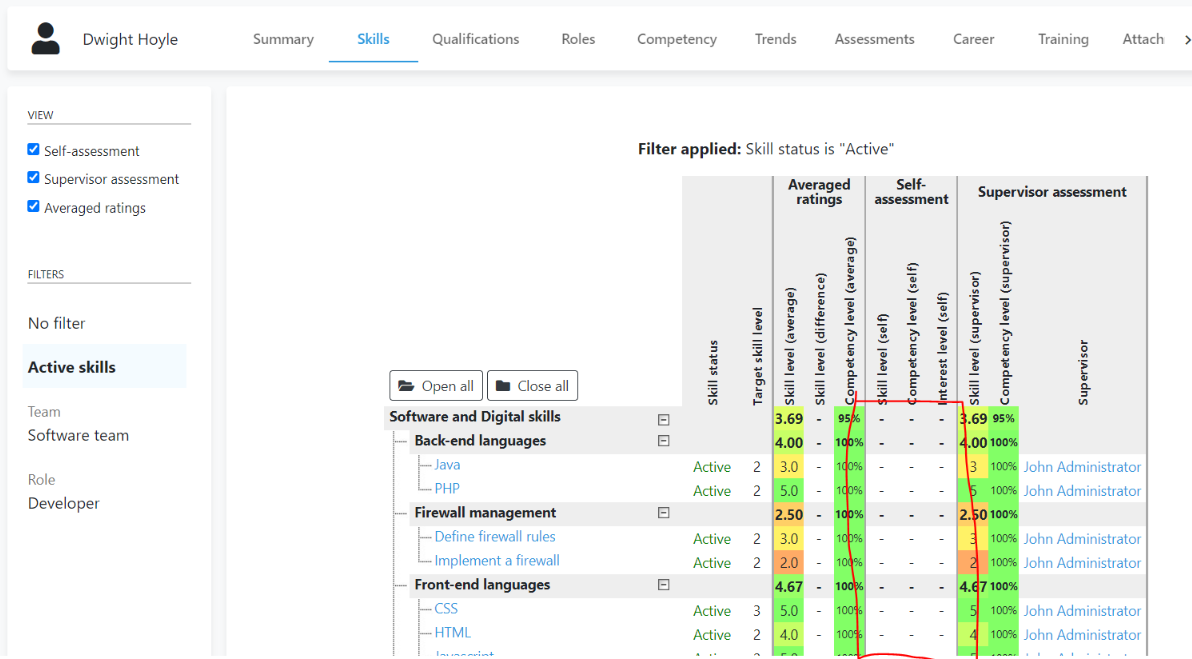
Administrators can choose to discard a person's assessment data via the "Reset ratings" feature.
This feature causes the selected assessment type (self/supervisor) to be no longer used in any reports or dashboards. The data is retained in history but it will appear as though the person never completed an assessment of the given type.
Steps
-
Visit a person's dashboard
-
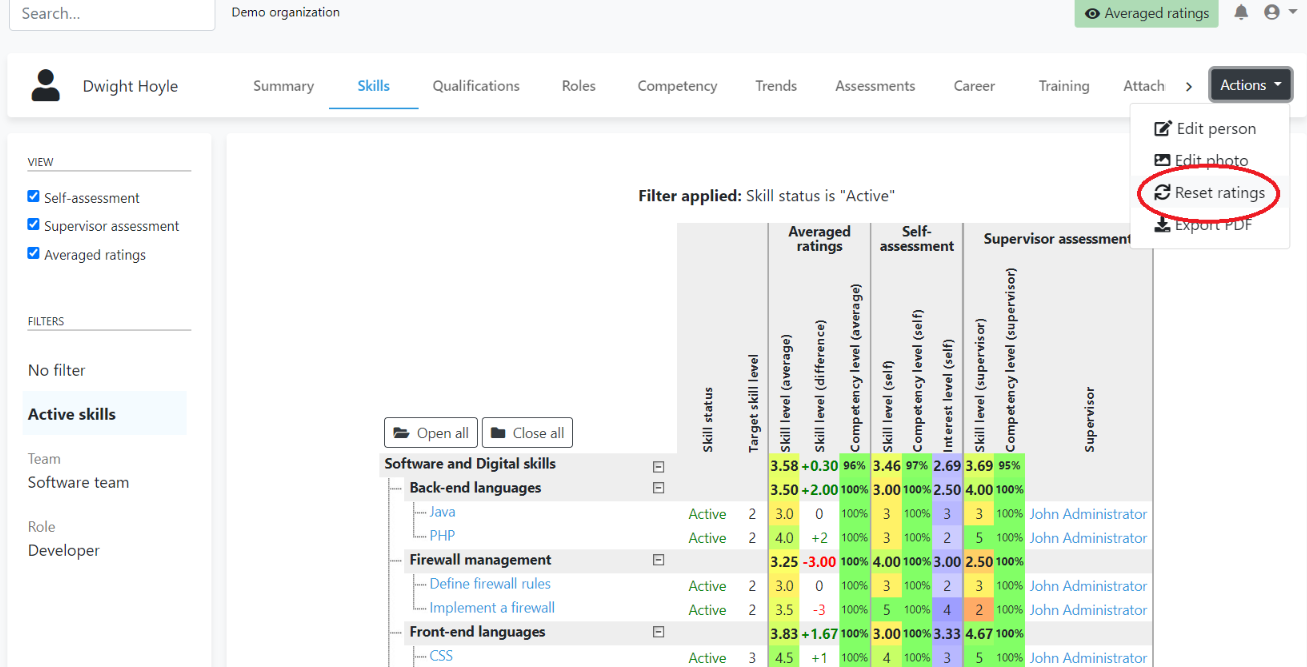
From the "Actions" menu select "Reset ratings"
-
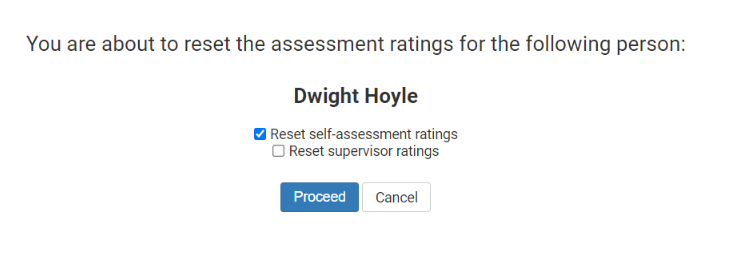
Select the desired assessment type(s)
-
Click "Proceed". Assessment ratings for the selected assessment type will now be discarded: