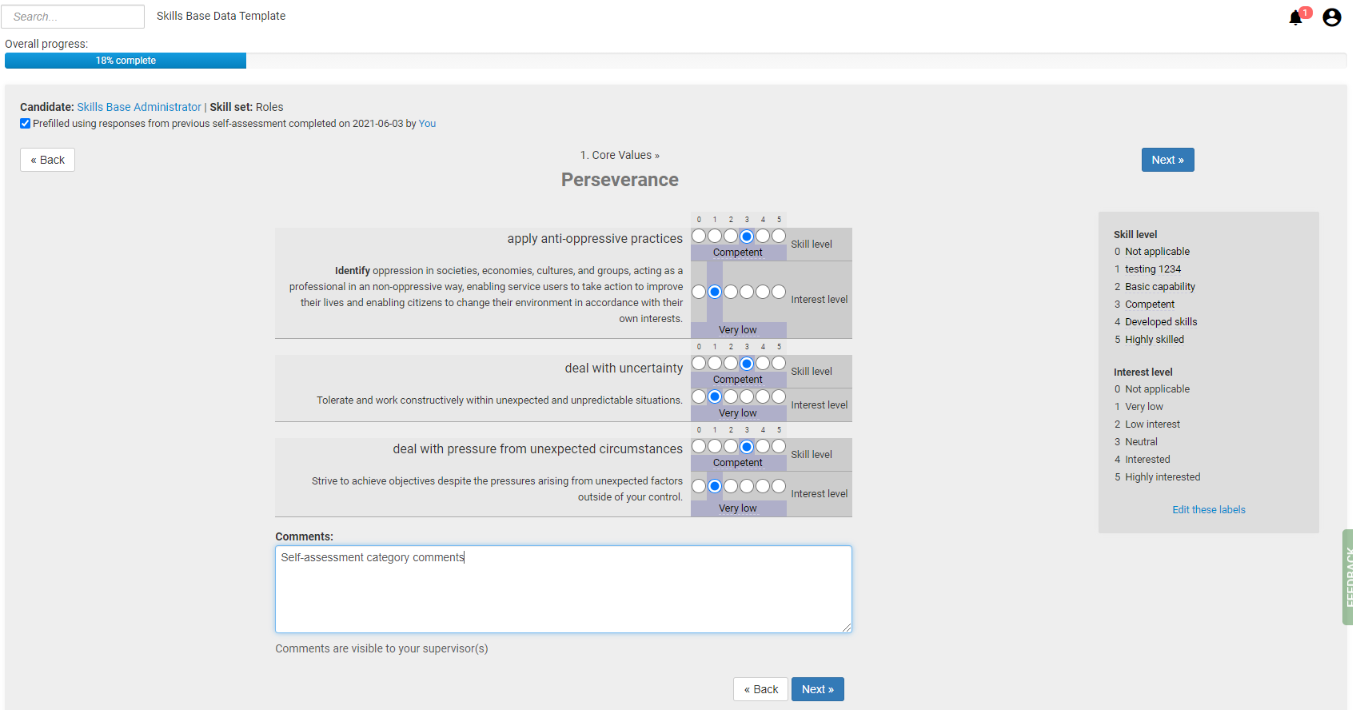
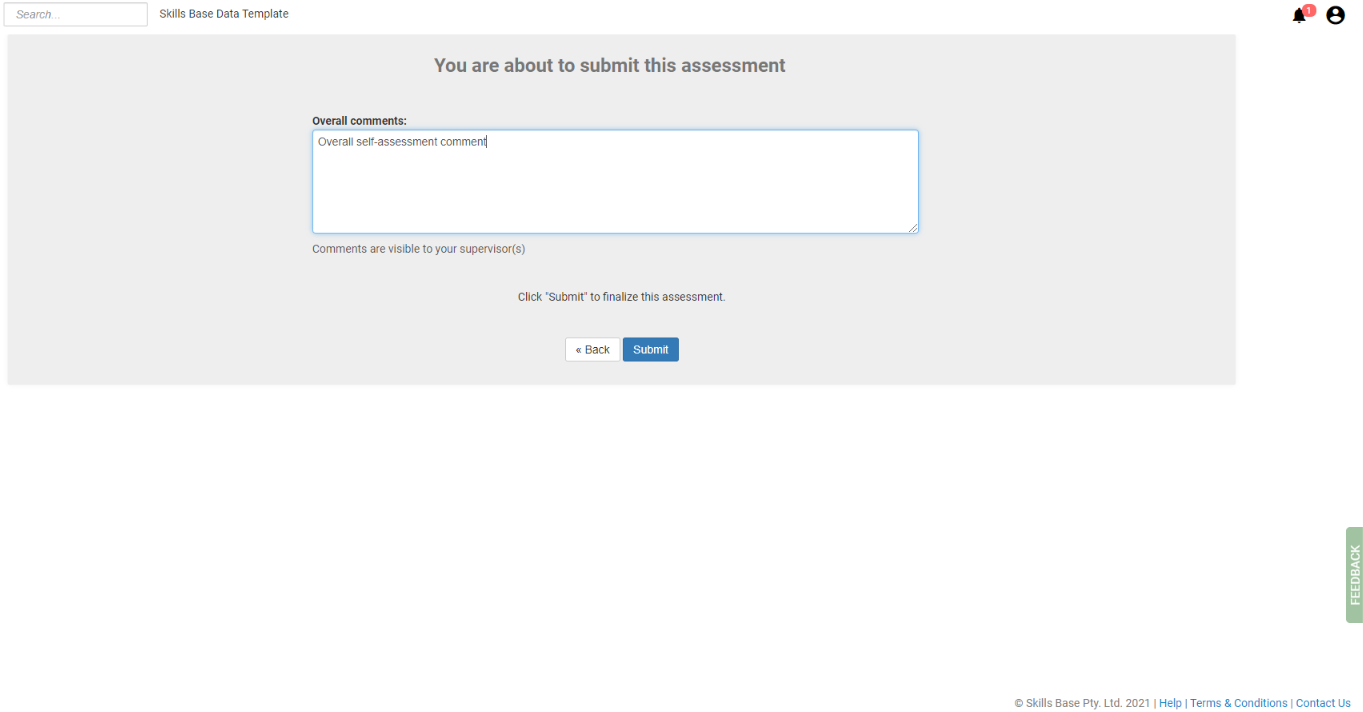
If enabled,(see: Settings) self and supervisor comments can be left on each skill category or an overall comment at the end of an assessment.
Self-assessment comments will be visible in a supervisor assessment, and supervisor assessments will be visible in a self-assessment.
Category comments
Overall comments:
View Assessment Comments
There are a number of ways to view assessment comments:
Skills tab
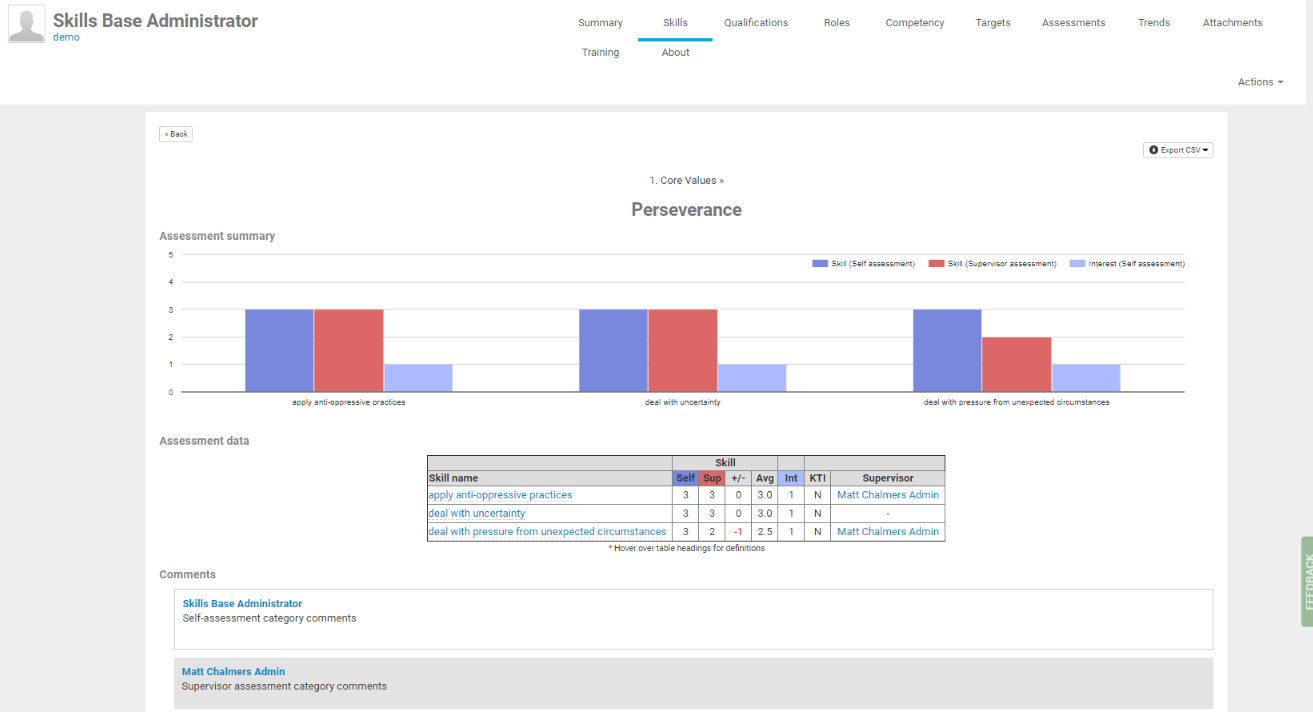
From an individual persons Skills tab, a comment icon will be visible against any skill categories that have a comment against them. Hover over a comment icon to see a condensed view of the comments.
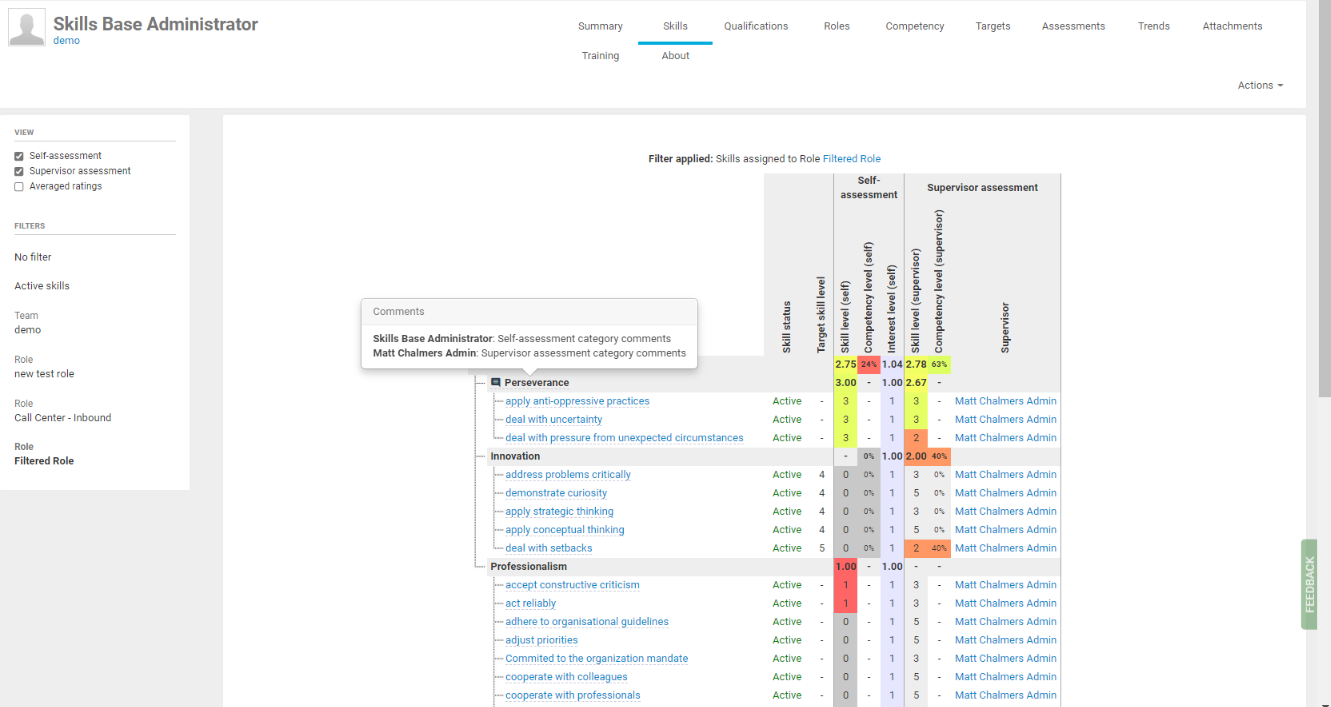
You can click on an icon to view the Details tab which will display the full Self and Supervisor comments
Assessments tab
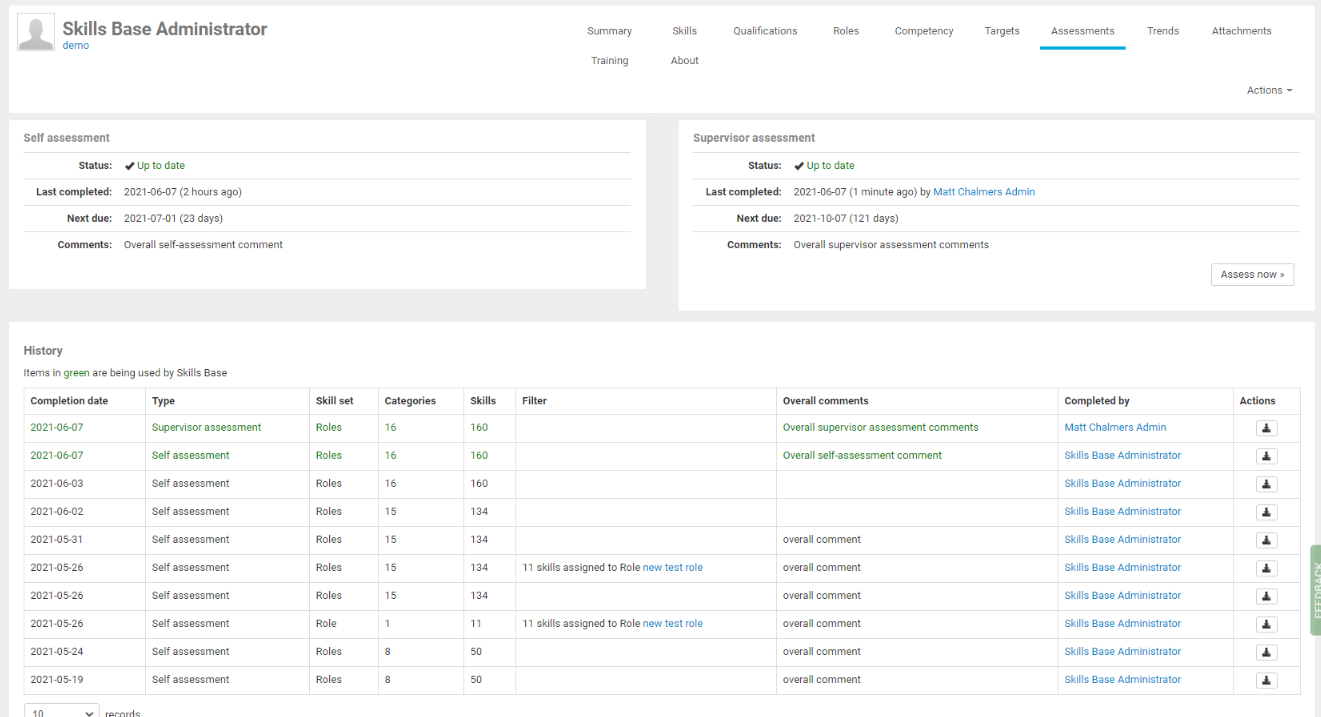
The last overall assessment comments are visible in the Self assessment and Supervisor assessment boxes at the top of the dashboard.
Historical overall comments are also visible in the table of assessments at the bottom of the dashboard.
Assessments export
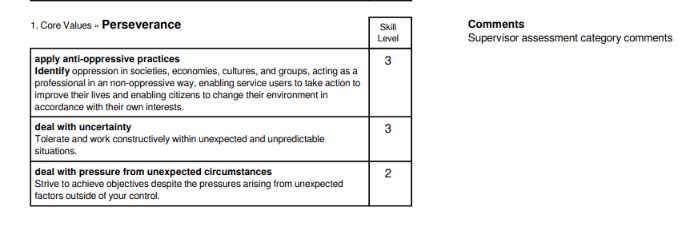
On the Assessments tab, you can see a list of assessments that have been completed. Against each assessment a "Download" icon is visible. Comments that have been left in a skill category will be visible in the PDF export.
Reports
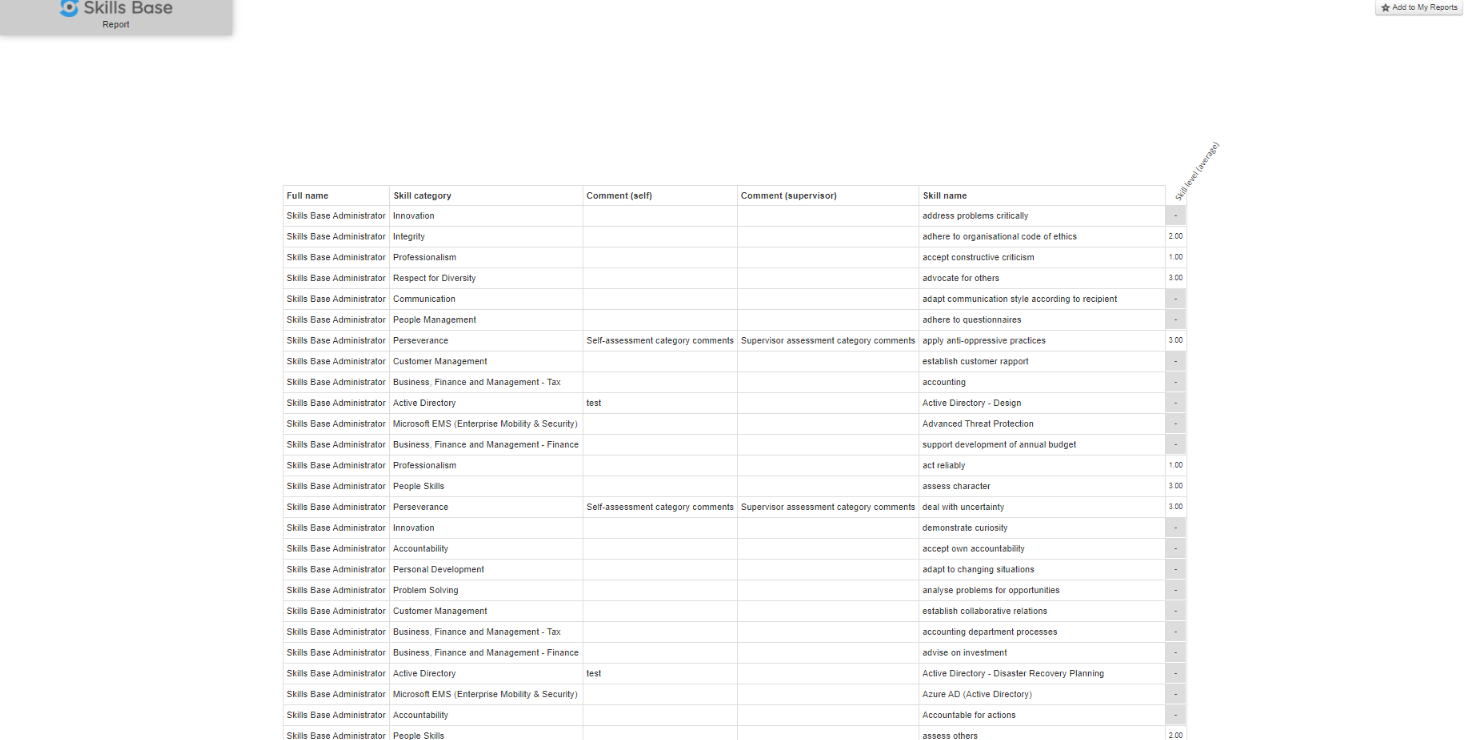
Report Builder - Assessment Data (ratings as rows) can have comments fields enabled
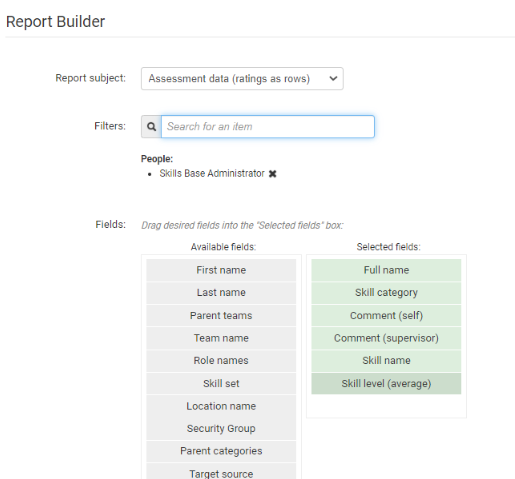
This will show the category comments against each line that is applicable in the export