
The Qualification Export allows you to generate detailed reports on the status and assignment of qualifications across your organization. This is essential for tracking compliance, monitoring expiry dates, and ensuring team members hold the necessary certifications for their roles.
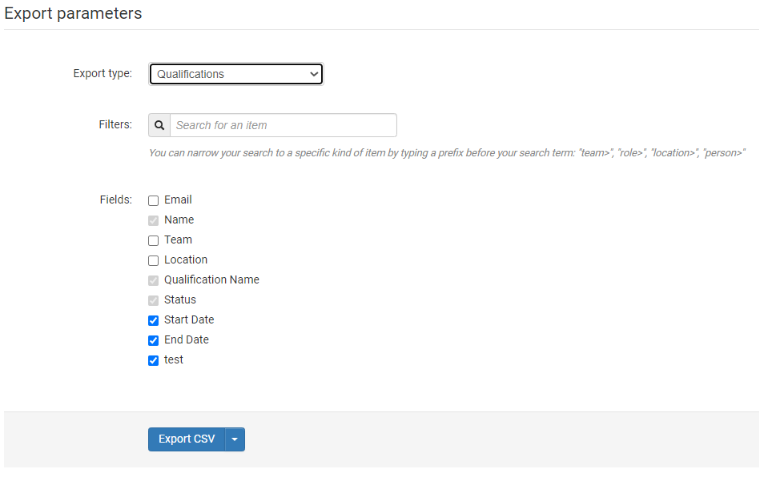
Reporting Filters
Before running the export, you can refine your data using the following filters:
-
Team: View qualifications for specific departments or groups.
-
Role: Filter by specific job titles.
-
Location: Narrow down results by office or region.
-
Person: Search for an individual employee's qualification history.
Export Data
The final export file is organized into mandatory and optional fields:
Mandatory Fields
-
Name: The name of the employee.
-
Qualification Name: The title of the certification or qualification.
-
Status: The current state of the qualification (e.g., Active, Expired, Pending).
Optional Fields
-
Email: The employee's contact email.
-
Team: The team the employee belongs to.
-
Location: The employee's primary location.
-
Start Date: The date the qualification became valid.
-
End Date: The expiration date of the qualification.
-
Qualification Assignment Custom Fields: Any specific metadata attached to the assignment (e.g., license numbers or issuing bodies).